GUILayout.PasswordField
public static string PasswordField(string password,
char maskChar,
params GUILayoutOption[] options);
public static string PasswordField(string password,
char maskChar,
int maxLength,
params GUILayoutOption[] options);
public static string PasswordField(string password,
char maskChar,
GUIStyle style,
params GUILayoutOption[] options);
public static string PasswordField(string password,
char maskChar,
int maxLength,
GUIStyle style,
params GUILayoutOption[] options);
Parameters
| password | Password to edit. The return value of this function should be assigned back to the string as shown in the example. | |
| maskChar | Character to mask the password with. | |
| maxLength | The maximum length of the string. If left out, the user can type for ever and ever. | |
| style | The style to use. If left out, the textField style from the current GUISkin is used. |
Returns
string The edited password.
Description 描述
Make a text field where the user can enter a password.
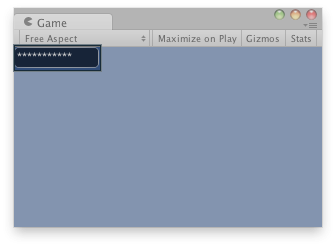
Password field in the Game View.
using UnityEngine;

public class ExampleScript : MonoBehaviour
{
    string passwordToEdit = "My Password";

    void OnGUI()
    {
        // Make a password field that modifies passwordToEdit.
        passwordToEdit = GUILayout.PasswordField(passwordToEdit, "*"[0], 25);
    }
}