EditorUtility.OpenFilePanel
public static string OpenFilePanel(string title,
string directory,
string extension);
Description 描述
Displays the "open file" dialog and returns the selected path name.
See Also: SaveFilePanel function.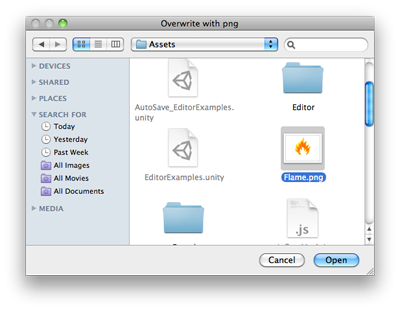
Open File Panel.
using System.IO;
using UnityEngine;
using UnityEditor;

public class OpenFilePanelExample : EditorWindow
{
    [MenuItem("Example/Overwrite Texture")]
    static void Apply()
    {
        Texture2D texture = Selection.activeObject as Texture2D;
        if (texture == null)
        {
            EditorUtility.DisplayDialog("Select Texture", "You must select a texture first!", "OK");
            return;
        }

        string path = EditorUtility.OpenFilePanel("Overwrite with png", "", "png");
        if (path.Length != 0)
        {
            var fileContent = File.ReadAllBytes(path);
            texture.LoadImage(fileContent);
        }
    }
}